
 See Our Latest Article on HelloNation
Can too much screen time contribute to back pain?
Yes. Long periods of sitting, leaning forward, or holding a phone below eye level can increase strain on the neck, upper back, lower back, and hips. The problem is usually not screen use itself, but the combination of static posture, limited movement, awkward positioning, and insufficient recovery.
For residents of Tarrytown, NY, screen habits may be especially noticeable during long workdays, remote learning, winter indoor routines, or evenings spent using phones and tablets at home. Reducing discomfort does not require eliminating screens. It usually starts with changing how screens are used and adding more movement throughout the day.
What screen habits are most likely to trigger back pain?
The most common contributors are prolonged sitting, looking downward, and staying in one position for too long. Even a well-designed chair cannot fully offset several uninterrupted hours of inactivity.
Watch for these patterns:
- Holding a phone in the lap, causing the head and upper back to round forward
- Working on a laptop without raising the screen or using a separate keyboard
- Sitting on a couch with the pelvis tucked under and the lower back unsupported
- Keeping the same position during meetings, gaming, studying, or streaming
- Using a phone in bed with the neck bent for extended periods
- Reaching forward repeatedly for a keyboard, mouse, or second screen
- Replacing movement breaks with quick changes between different screens
A forward head position can increase the workload on the muscles at the base of the neck and across the shoulders. Slouched sitting may also reduce the natural movement of the lower back and hips, which can make stiffness more noticeable when standing.
How often should someone take a screen break?
A practical goal is to change position every 30 to 45 minutes, even if the change lasts only one or two minutes. Short, frequent movement breaks are generally easier to maintain than waiting until pain becomes severe.
During a break, try one or two simple actions:
- Stand and walk around the room
- Roll the shoulders slowly in both directions
- Straighten the hips and gently extend the upper back
- Refill a water glass
- Look across the room instead of at a nearby screen
- Perform a few comfortable bodyweight squats or heel raises
A longer break of five to ten minutes every couple of hours can provide additional relief. The goal is not to perform an intense workout during work or study time. It is to interrupt static posture before stiffness builds.
Timers, calendar reminders, or placing the phone away from the desk can help make breaks automatic. For households managing schoolwork, remote work, and caregiving, brief movement periods can be attached to existing routines such as meal preparation or changing activities.
How should a desk or home workstation be arranged?
A comfortable workstation allows the head, ribs, pelvis, and feet to remain reasonably supported rather than forcing the body to reach or collapse forward.
Useful adjustments include:
- Positioning the top of the monitor near eye level
- Keeping the screen about an arm’s length away
- Placing the keyboard and mouse close enough that the elbows stay near the body
- Keeping both feet supported on the floor or on a stable footrest
- Using a chair that supports the lower back without pushing the ribs forward
- Keeping frequently used items within easy reach
- Avoiding glare that causes leaning or squinting toward the screen
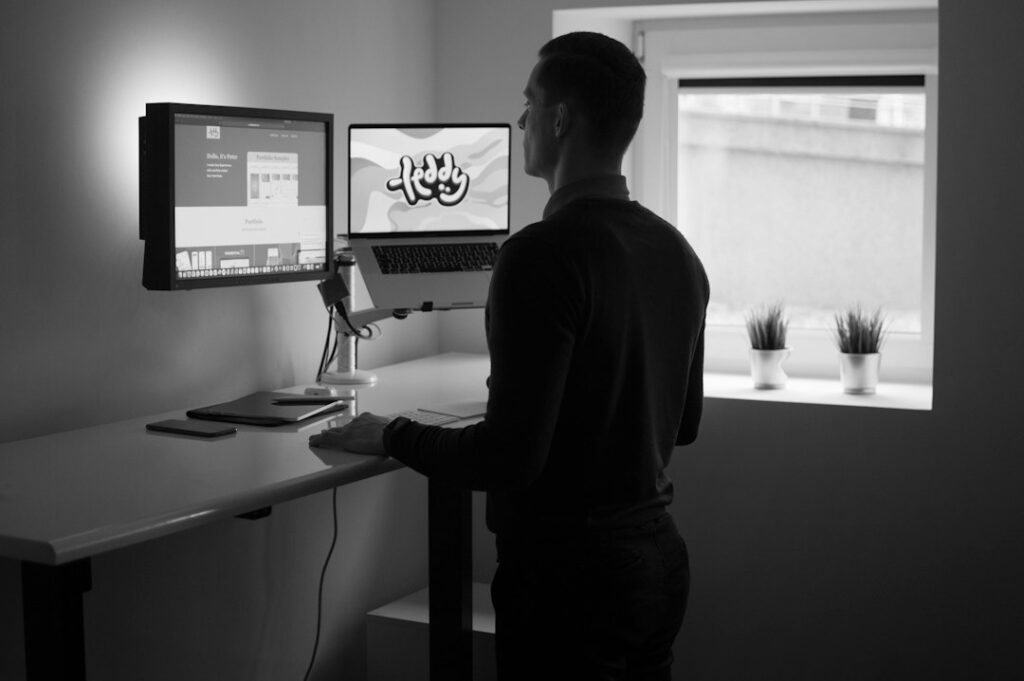
For laptop users, a raised screen with a separate keyboard and mouse can make a significant difference. If a standing desk is used, it should not become an excuse to stand motionless. Alternating between sitting, standing, and walking is usually more useful than choosing one position for the entire day.
No posture is ideal when held for hours. A good setup reduces unnecessary strain, but regular movement remains essential.
How can phone use be made easier on the neck and back?
Phone use often creates more strain than a properly arranged desk because the device is small and commonly held below chest level. Raise the phone closer to eye level when reading for more than a few seconds, while keeping the shoulders relaxed.
Additional strategies include:
- Support the forearms on a pillow or armrest during longer reading sessions
- Use voice-to-text for lengthy messages
- Hold the phone with either hand rather than always using the same side
- Avoid bending the neck while walking or standing in one place
- Place the phone on a stand during video calls
- Take calls with the device supported instead of pinching it between the shoulder and ear
Reading or scrolling in bed can be particularly uncomfortable because the neck, upper back, and arms may remain unsupported. A brief audio option or a more upright position may reduce the tendency to curl forward.
Can reducing screen time help lower back pain?
It can, especially when reduced screen time creates more opportunities to stand, walk, sleep, and participate in physical activities. However, simply replacing a laptop with television or a phone may not change the underlying problem if the body remains still for the same number of hours.

A more useful approach is to reduce passive screen use and replace some of it with low-intensity movement. Examples include:
- Taking a short walk after work or dinner
- Stretching during a television program
- Standing during phone calls
- Doing household tasks between episodes or gaming sessions
- Keeping recreational devices out of the bedroom when possible
- Setting a planned stopping point rather than scrolling until tired
Seasonal routines can affect these habits. During colder or darker months, indoor screen time may increase, while warmer weather may make walking and outdoor activity easier to add. Even indoor movement in short intervals can help maintain mobility.
Which stretches and exercises are appropriate?
Gentle movements are generally a reasonable starting point when discomfort is mild and does not involve concerning symptoms. The movement should feel controlled and comfortable, not forced.
Options may include:
- A gentle chest-opening stretch in a doorway
- Slow upper-back extension over the back of a chair
- Hip flexor stretching after prolonged sitting
- Pelvic tilts while lying on the back
- Walking at an easy pace
- Light strengthening for the hips, abdomen, and upper back
Avoid bouncing, aggressive twisting, or stretching into sharp pain. If symptoms worsen during or after an exercise, stop and reassess rather than pushing through.
Back pain may not be caused by posture alone. Sleep position, stress, lifting, previous injuries, physical conditioning, and work demands can all influence symptoms. Screen adjustments are helpful, but they are only one part of a broader movement and recovery plan.
When should back pain be medically evaluated?
Most screen-related stiffness improves with movement, position changes, and time. Medical evaluation is more important when pain is severe, persistent, worsening, or accompanied by other symptoms.
Seek prompt care for back pain involving:
- New weakness in an arm or leg
- Numbness that is spreading or significant
- Loss of bladder or bowel control
- Numbness in the groin or inner thigh area
- Fever, unexplained weight loss, or feeling unusually ill
- Pain after a serious fall or collision
- Severe pain that does not ease with rest or position changes
For recurring but less urgent symptoms, keeping a brief record can be useful. Note when pain appears, which activities increase it, how long it lasts, and whether movement helps. This information can clarify whether the main issue is sitting duration, phone posture, workstation setup, sleep, or another factor.
A realistic plan is to adjust the screen environment, interrupt sitting regularly, and build more movement into ordinary routines. These changes can support back comfort without requiring perfect posture or a complete ban on digital devices.
